What Is IPS LCD?
What Is IPS LCD?
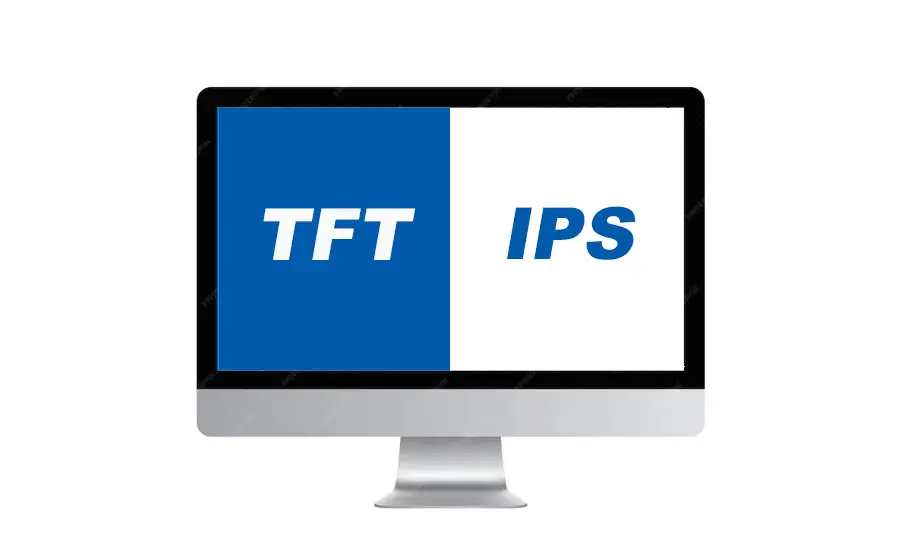
IPS stands for In-Plane Switching, a type of liquid crystal display (LCD) technology. Unlike traditional LCDs, which use Twisted Nematic (TN) panels, IPS LCDs are designed to improve viewing angles and color accuracy. Developed by Hitachi in 1996, IPS has become a gold standard for displays requiring consistent image quality across wide angles.
How Does IPS LCD Work?
At the heart of any LCD is a layer of liquid crystals sandwiched between two polarized glass panels. These crystals manipulate light from a backlight to create images. Here’s what sets IPS apart:
-
Crystal Orientation:
In TN panels, liquid crystals twist vertically when voltage is applied, blocking light to create dark pixels. In IPS panels, crystals align horizontally (in-plane) and rotate parallel to the glass layers when activated. This allows more precise control over light transmission. -
Improved Color Stability:
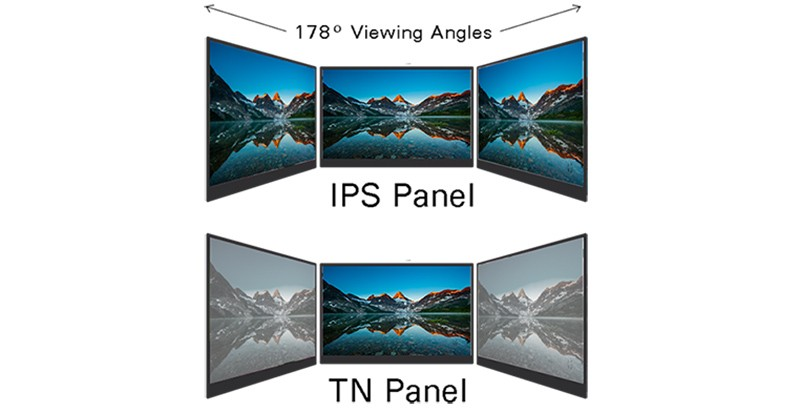
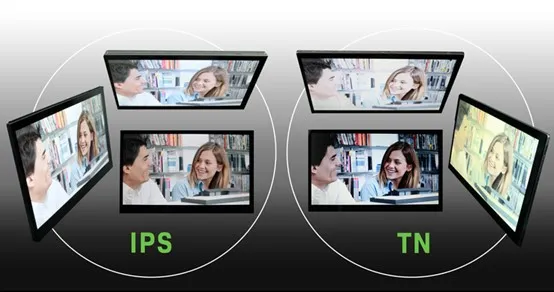
IPS’s horizontal alignment ensures colors remain consistent even when viewed from extreme angles (up to 178 degrees). This eliminates the color distortion or “washing out” common in TN panels. -
Dual Transistors:
Each pixel in an IPS LCD is controlled by two transistors, enhancing brightness uniformity and color reproduction.
Key Advantages of IPS LCD
-
Superior Viewing Angles:
IPS panels maintain color and contrast even at wide angles, making them ideal for shared screens (e.g., TVs) or devices viewed from varying positions (e.g., tablets). -
Accurate Color Reproduction:
IPS displays cover a broader color gamut (often 100% sRGB) and deliver true-to-life colors, favored by designers, photographers, and video editors. -
Better Brightness and Clarity:
The technology offers higher peak brightness and sharper details, reducing eye strain during prolonged use. -
Durability:
IPS screens are less prone to pressure-induced distortion (e.g., touchscreen devices).
Limitations of IPS LCD
No technology is perfect. IPS has a few trade-offs:
-
Slower Response Times:
Early IPS panels suffered from slower pixel response (5–8ms), causing motion blur in fast-paced gaming. Modern iterations like Nano-IPS have reduced this gap. -
Lower Contrast Ratios:
IPS screens struggle to achieve deep blacks compared to VA (Vertical Alignment) panels or OLED displays. -
Higher Power Consumption:
The need for a strong backlight can drain battery life faster in portable devices.
IPS vs. Other Display Technologies
-
IPS vs. TN:
TN panels are cheaper and faster for gaming but offer poor viewing angles and color accuracy. IPS wins for visual fidelity. -
IPS vs. VA:
VA panels boast higher contrast but narrower viewing angles. IPS is better for color-critical tasks. -
IPS vs. OLED:
OLEDs self-emit light, enabling perfect blacks and infinite contrast. However, IPS LCDs are more affordable, durable, and avoid burn-in risks.
Where Is IPS LCD Used?
IPS technology shines in applications demanding color precision and wide visibility:
-
Smartphones and Tablets (e.g., older iPhones, iPad Pro).
-
Professional Monitors for photo/video editing.
-
Medical Imaging Screens requiring accuracy.
-
Entry-Level TVs prioritizing affordability and quality.
The Future of IPS LCD
While OLED and Mini-LED are gaining traction, IPS remains relevant. Innovations like HDR support and higher refresh rates (e.g., 144Hz gaming monitors) keep IPS competitive. For users prioritizing color accuracy and reliability, IPS LCDs are here to stay.
Digital Signage: Transforming Communication in the Digital Age
LCD vs. LED: What’s the Difference and Which is Better?
Related Article